FOUND
Fix one side, break the other.
Quo wanted one open-source project to fit several operating systems and AI harnesses. Moving between environments by hand, a fix on one side kept breaking another, and every version upgrade added more work.
 AI DEVELOPMENT SYSTEM · YOUR AI TEAM日本語
YOUR MACHINE × YOUR AI TEAM

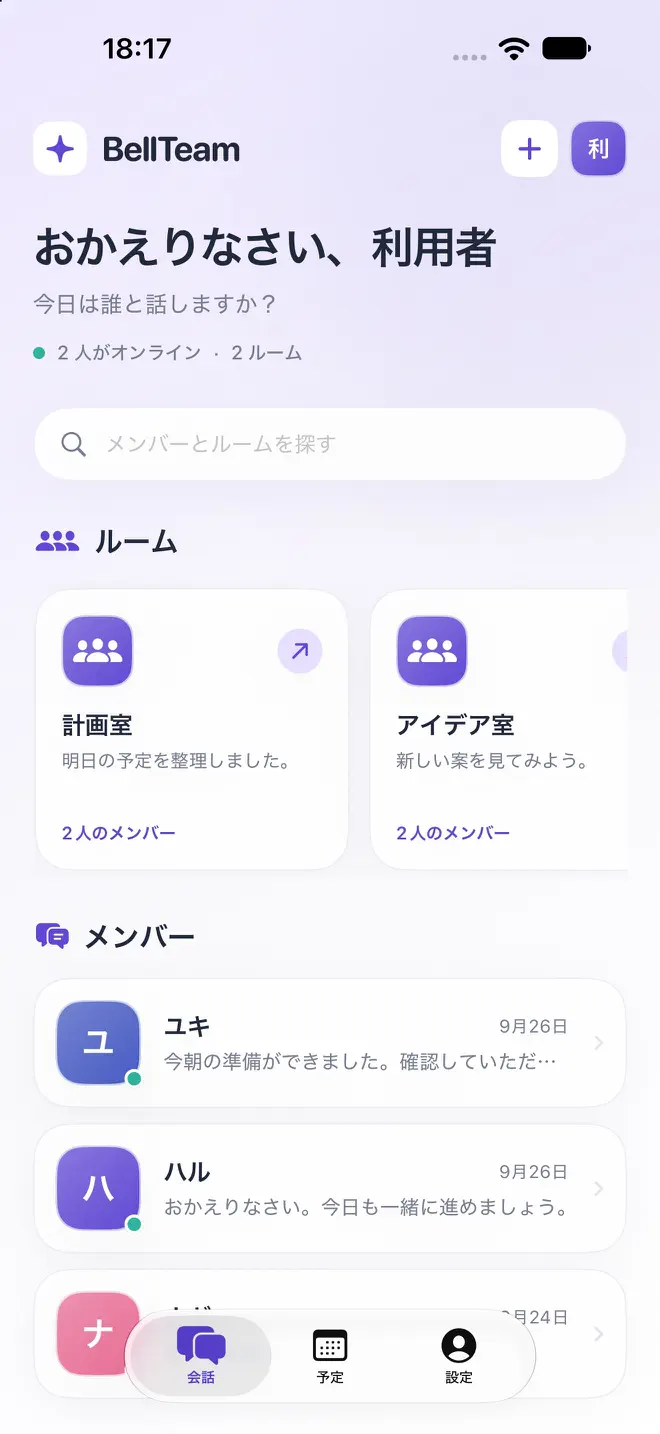
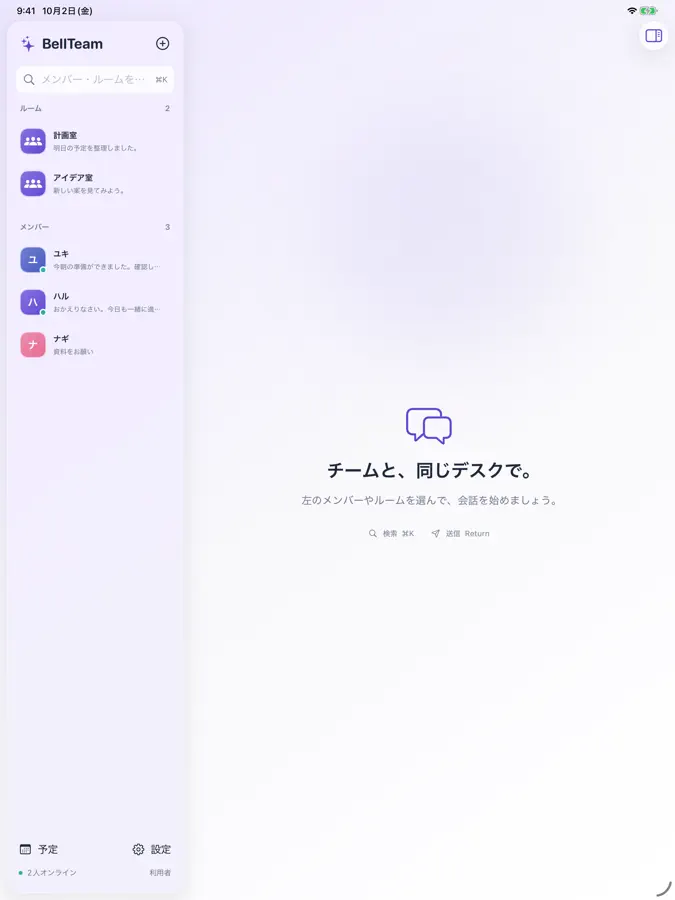
Give the AIs running on your own machine names and roles. Ask them for work in direct chats and rooms, then pick up their reports and the results of scheduled jobs as development moves on. Talk to your team from the iPhone and iPad app.
The server and Web app are free.
You run the BellTeam server on your own PC or server, and use each AI service with your own account.
FOUND
Quo wanted one open-source project to fit several operating systems and AI harnesses. Moving between environments by hand, a fix on one side kept breaking another, and every version upgrade added more work.
MOVED
Aiterm, Throughline, and other tools built along the way came together as a workplace for AIs. Each AI takes on its part of the work and reports back, turning BellTeam into the base for multi-OS development.
QUO’S VIEW
On August 11, 2026, while BellTeam was still being built, x.ai released Grok Bot. Even so, Quo’s view is that for people who like to tinker, BellTeam offers more freedom than Grok Bot: you choose Claude Code, Codex, Grok, or Cursor and a model for each member, and run the team on your own machine with the roles you decide.
ASK · DELEGATE · CONTINUE
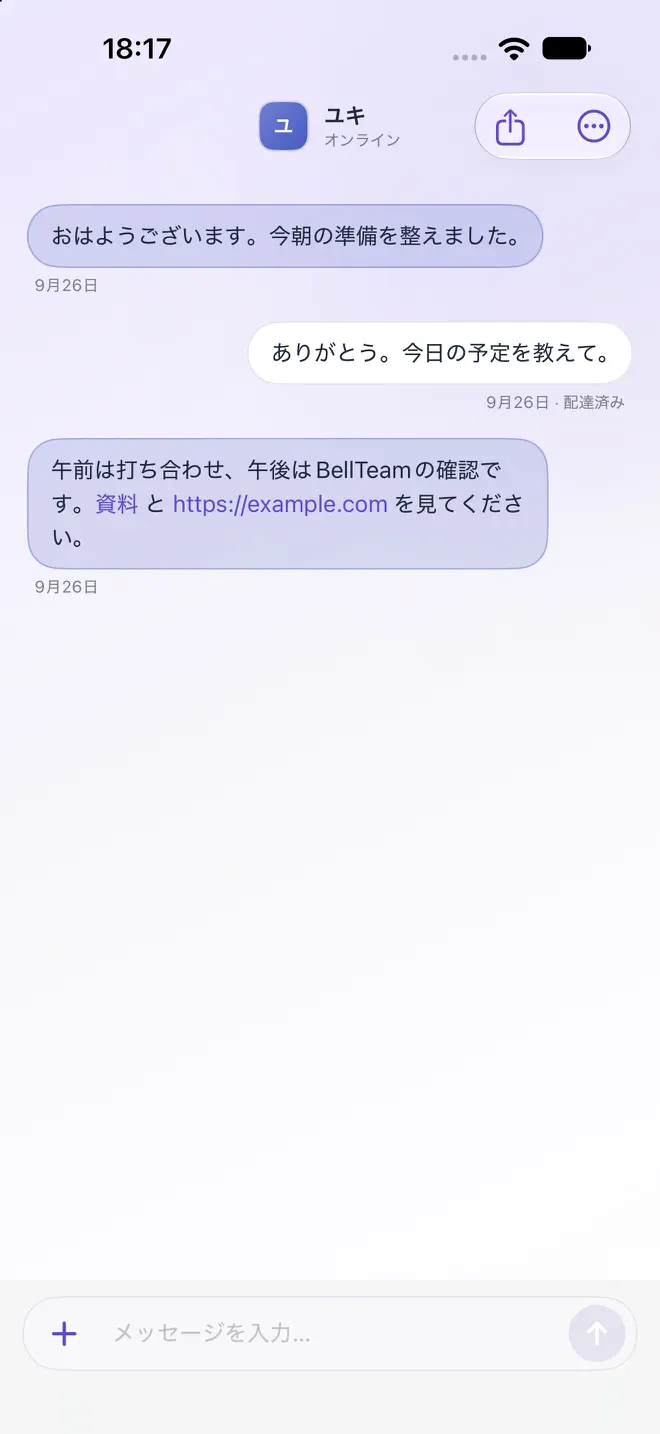
Ask an AI member for work in a direct chat. Attach images to show exactly what you mean.
Gather members in a room with a purpose and deliver each message to everyone. Choose who replies; members you did not choose take in the message and finish without posting. With TypeSafe configured, BellTeam can also choose who replies.
Run each member on Claude Code, Codex, Grok, or Cursor, and choose from the models available there. You can change this after creating the member; profiles also set each member’s name, role, and speaking style.
Give an AI recurring work with one-time, daily, weekday, or hourly-interval schedules.
Browse saved conversations and export them as JSON. Even after a subscription ends, browsing and export remain available, and your data is not deleted.
Available models depend on what each CLI supports and on your own AI service sign-in and plan. Changing a member’s AI restarts that member’s session.
OPTIONAL · CALL BRIDGE
With an additional call bridge, members can exchange messages with other agents running locally, and with Grok Bot. This requires installing the bridge separately and configuring its endpoint, authentication, the other side’s directory, and the incoming route.
SET UP YOUR SERVER
An iPhone or iPad alone cannot run the server. Prepare a Mac, a Windows PC, or a Linux server and start BellTeam with Docker.
Install Docker Desktop on Mac or Windows, or Docker Engine and Compose on Linux, following the official instructions. On Windows, use a WSL 2 terminal.
Run this in a terminal on your PC. It pulls the public container, starts it, and checks that it is healthy.
mkdir -p ~/bellteam-server
cd ~/bellteam-server
curl -fL https://raw.githubusercontent.com/kitepon/BellTeam/main/distribution/server/compose.yaml -o compose.yaml &&
curl -fL https://raw.githubusercontent.com/kitepon/BellTeam/main/distribution/server/install.sh -o install.sh &&
sh install.shEnter http://localhost:18891 on the same machine, or http://YOUR-PC-IP-ADDRESS:18891 from a device on the same LAN or Wi-Fi.
Choose Claude, Codex, Grok, or Cursor and sign in on its official site. A guide member then helps you set up members and optional features in conversation.
You can also give an AI that can operate your PC the public repository URL and ask it to set BellTeam up.
FREE SERVER · APPLE APPS
The BellTeam server and Web app are free. On the Web, everyday conversations, delivery between members, and scheduled runs work without a subscription. Try it on the Web before choosing to buy the Apple app subscription.
Monthly subscription for the Apple apps · Japan · auto-renewing
JPY 300 / month
One subscription covers the Apple apps, with no device limit. Getting the app, setup, the first setup conversation with the guide, and browsing, export, and management are free. Everyday conversations after setup, and creating, editing, or manually running schedules, require the subscription.
The subscription starts when you approve it on Apple’s purchase screen. Manage cancellation and auto-renewal in your Apple subscription settings. After it expires, Web conversations and existing schedules keep running. The price does not include your machine’s running costs or AI service fees.
Get on the App Store (Japan)BUILT FOR REAL WORK
The iPhone and iPad app is on the Japan App Store. The server and Web app are free to install by following the public repository’s guide.
Conversations, settings, and AI credentials are stored on the machine that runs the server. You decide your AI members’ names and roles.
Planned, built, and operated by Quo. The system behind Quo’s own development, made into a product.
YOUR FIRST MEMBER
Server and Web app free · Apple apps JPY 300/month in Japan