A Chrome extension that hides unwanted sources and words from supported search results and lists. You choose the display that web services used to decide for you.
You kept seeing the things you were trying to avoid.
Sellers, merchants, channels, publishers, words. The reason differs, but the friction of avoiding them again every time you return to a list was the same.
MOVED
Register a source or a word, then choose what stays visible.
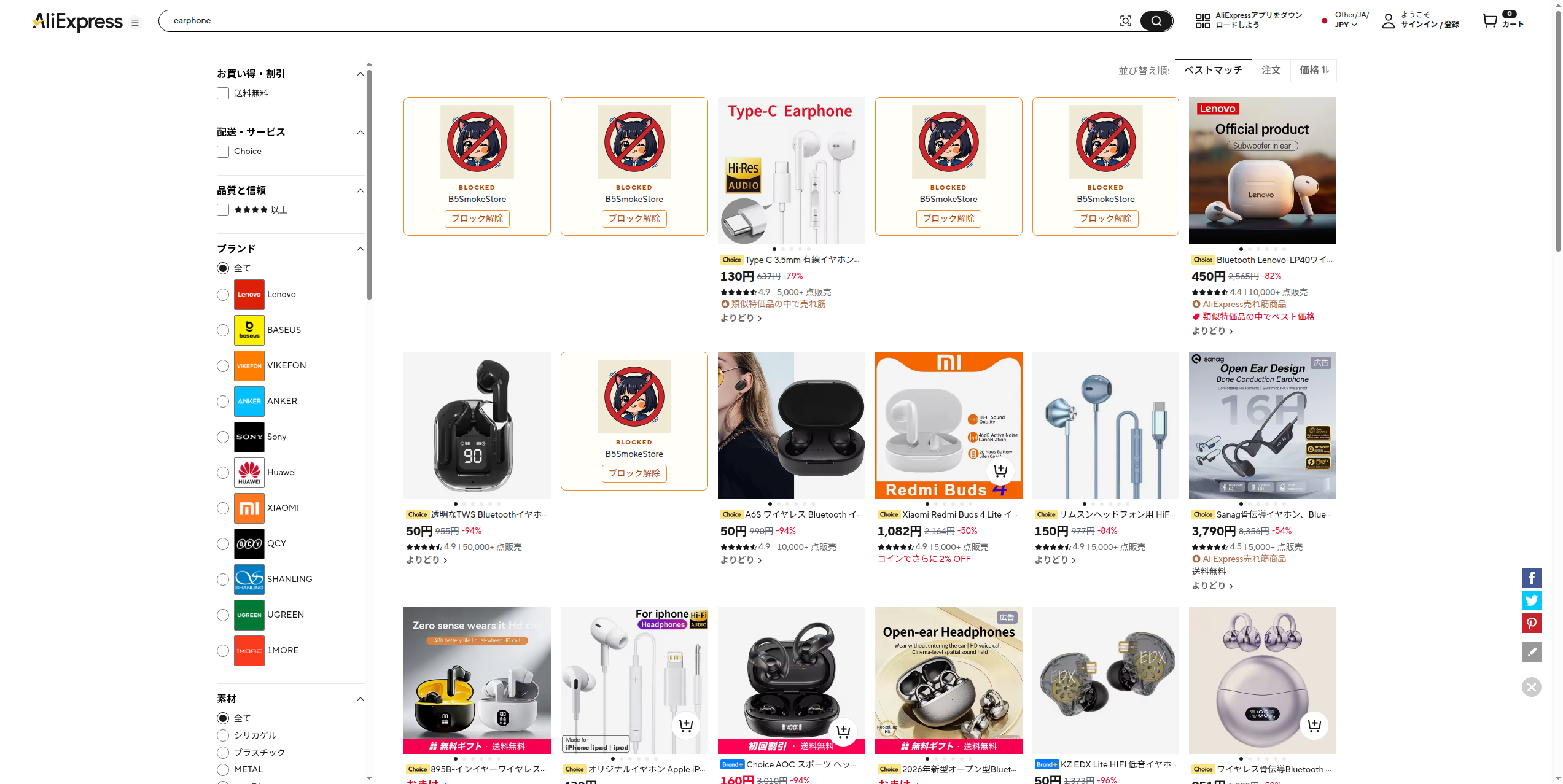
On supported surfaces you can replace a card with a placeholder, or collapse it completely.
ONE STEP AT A TIME
Register it there, then hide it from later lists.
01
Register a target
Add a source to Nope from a supported search result or list.
02
Choose how it appears
Replace it with a block display, or collapse the space and hide it completely.
03
Manage in the popup
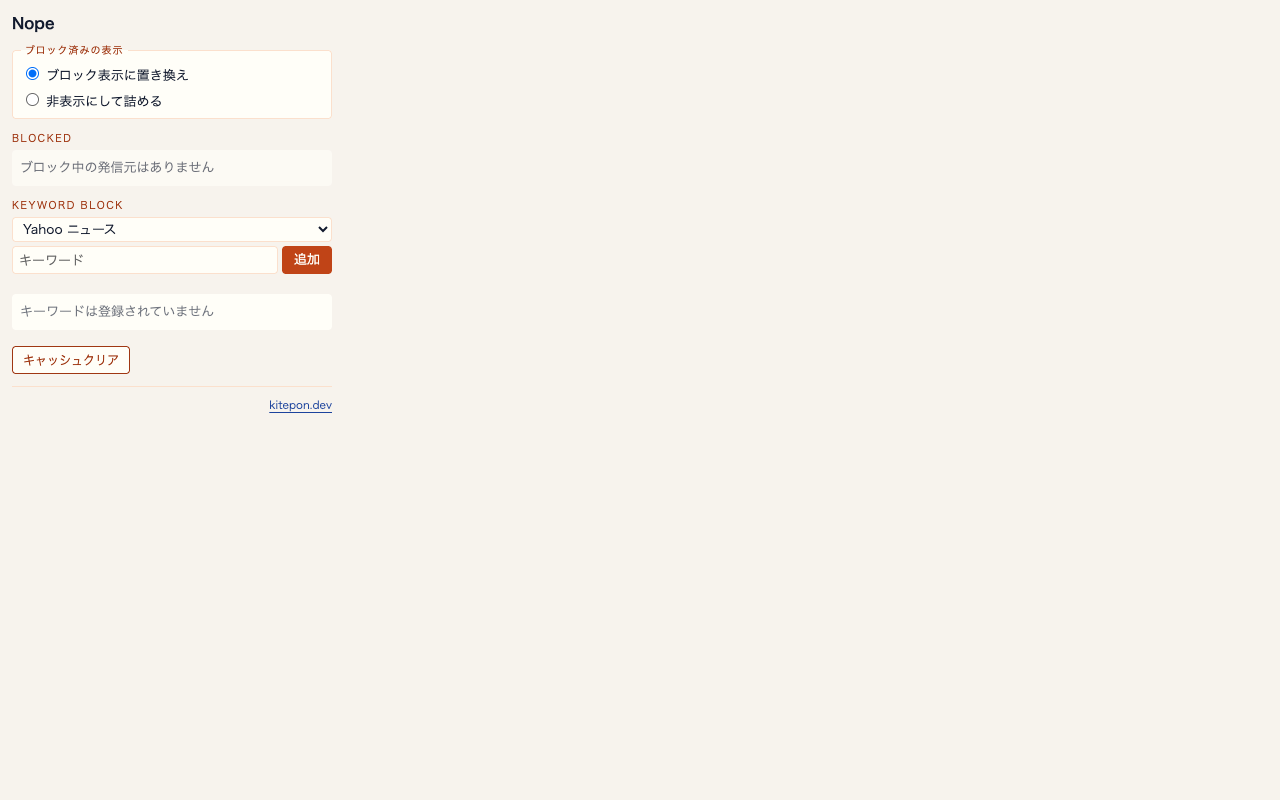
You can remove or tidy registered sources and Yahoo News group keywords at any time.
ACTUAL INTERFACE
The product screens, as they are.
These are captures from a real browser and the packaged popup, not images made to illustrate a feature.
Real browser view with a source hiddenpackage popup
SUPPORTED SURFACES
7 service groups, 8 surfaces.
Yahoo! News and Yahoo! JAPAN count as one Yahoo News group. This is not support for the entire web.
01
AliExpress
Source
02
楽天市場
Source
03
Yahoo!ショッピング
Source
04
ヤフオク
Source
05
Amazon.co.jp
Source
06
YouTube
Source
07
Yahoo News group
Source + keywords · 2 surfaces
PROOF / LIMIT
Choose on the device. Query the target service itself only when needed.
Privacy
Authentication information, web history, and website content are handled in the browser to provide the feature. Viewing data and block settings are not sent to the developer’s analytics or backend.
Permissions for authentication information, browsing history, and page content are used to match sources and keywords and to decide the supported surface. Block settings go to storage.sync; device-specific data such as cache go to storage.local.
Target-service requests
When a list alone cannot identify the source, Nope queries the target service itself with a public identifier of the item currently shown. It is not sent to an unrelated developer server.
Remote code
The Chrome Web Store declaration is “Yes.” AliExpress’s own JSONP runs in the MAIN world, isolated from extension APIs, and only the response data is passed to the extension. It is publicly available on the Chrome Web Store.
Support
GitHub Issues are accepted in Japanese. There is no reply SLA, no fix deadline, no promise to answer every issue, and no promise of English support.